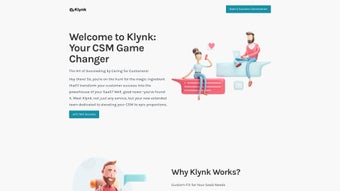

Download Klynk – AI‑Powered Email Campaign Creation Tool
Overview
Klynk is a next‑generation, AI‑powered email campaign creation tool designed specifically for go‑to‑market (GTM) teams. Whether you are in marketing, sales, or customer success, Klynk turns raw CRM data into personalized, data‑driven email sequences in a matter of minutes. The platform delivers context‑specific inputs that adapt to SaaS, product‑led growth (PLG), and other GTM models, eliminating the guesswork that traditionally slows down outreach.
With pre‑built campaign templates, a powerful Chrome extension, and seamless integrations with leading CRM and email platforms such as Salesforce, HubSpot, and Mailchimp, Klynk offers a secure, cloud‑based environment that scales with your organization. Users report a dramatic reduction in manual copywriting time—often cutting campaign creation from hours to under ten minutes—while simultaneously boosting open and conversion rates. The AI engine leverages the latest natural language processing models to generate copy that reflects the tone, intent, and persona data already stored in your system, ensuring every outreach feels tailor‑made for the recipient.
In short, Klynk is the modern, all‑in‑one app that makes email campaign creation fast, accurate, and repeatable, allowing GTM teams to focus on strategy rather than execution.
Key Features That Set Klynk Apart
- AI‑Generated Copy from CRM Data: Automatically pulls contact fields, recent interactions, and account insights to craft hyper‑personalized subject lines and body copy.
- Pre‑Built GTM Templates: Ready‑to‑use sequences for SaaS onboarding, PLG activation, churn reduction, and upsell campaigns, all fully editable.
- Chrome Extension for On‑The‑Fly Creation: Generate a full email series for any persona directly from the browser, reducing context switching.
- Multi‑Channel Integration: Syncs with Salesforce, HubSpot, Pipedrive, Marketo, Mailchimp, and SendGrid, ensuring a single source of truth.
- Persona‑Based Prompt Library: Choose from a library of prompts tailored to buyer roles (e.g., CTO, VP of Marketing) and let the AI adapt the language accordingly.
- Secure Cloud Architecture: End‑to‑end encryption, GDPR compliance, and role‑based access controls keep your data safe.
- Real‑Time Performance Analytics: Dashboard displays open rates, click‑throughs, and reply metrics for each AI‑generated sequence.
- Continuous Updates & Learning: The AI model is regularly fine‑tuned with anonymized campaign data, ensuring the copy stays fresh and relevant.
- Collaboration Workspace: Team members can comment, suggest edits, and approve drafts before sending, streamlining the review process.
- Free Tier & Scalable Pricing: Start with a free plan that includes 5 campaigns per month, then upgrade as your needs grow.
Each feature has been built with the end‑user in mind, combining the power of artificial intelligence with the practicality of everyday GTM workflows. For example, the AI‑generated copy doesn’t just splice together generic phrases; it intelligently references recent product usage, account health scores, and even prior email interactions, making every outreach feel genuinely personal. The Chrome extension further accelerates productivity by allowing users to generate a full sequence while browsing a prospect’s LinkedIn profile or CRM record, eliminating the need to toggle between tabs. All of these capabilities are delivered through a secure, cloud‑based platform that updates automatically, so you never have to worry about manual patches or outdated software. Whether you’re a startup scaling fast or an enterprise looking to standardize email outreach, Klynk provides the flexibility and reliability needed to drive measurable results.
Installation, Usage Instructions & Compatibility
Getting Started – Simple Download & Setup
Klynk is a web‑based application, so there is no traditional installer for Windows, Mac, Android, or iOS. To begin, visit the official Klynk website and click the Sign Up for Free button. The registration process requires only an email address and a password, after which you’ll receive a verification link. Once verified, you’ll be directed to the dashboard where you can connect your CRM or email service. The integration wizard guides you through OAuth authentication for platforms like Salesforce, HubSpot, and Mailchimp, ensuring a secure and seamless connection without exposing credentials.
Chrome Extension – One‑Click Campaign Generation
For users who prefer a more hands‑on approach, the Klynk Chrome extension can be installed from the Chrome Web Store in under a minute. After adding the extension, pin it to your toolbar and sign in with the same credentials used for the web app. When you visit a CRM record or a LinkedIn profile, click the Klynk icon, select the appropriate persona prompt, and the AI instantly drafts a personalized email sequence. The extension works on any operating system that supports Chrome—Windows, macOS, Linux, as well as Chrome on Android and iOS—making it truly cross‑platform.
Step‑by‑Step Usage Workflow
- Connect Your Data Sources: Use the integration panel to link Klynk with your CRM and email platform.
- Select a Template or Prompt: Choose a pre‑built campaign or a persona‑specific prompt from the library.
- Customize Parameters: Adjust variables such as target segment, send cadence, and personalization tokens.
- Generate Copy: Click Generate and let the AI produce subject lines, body copy, and calls‑to‑action.
- Review & Edit: Use the built‑in editor to fine‑tune tone, add attachments, or insert dynamic fields.
- Schedule or Send: Push the sequence directly to your email platform or schedule for later delivery.
- Track Performance: Monitor open, click, and reply rates on the analytics dashboard.
Because Klynk runs in the cloud, it is compatible with all major operating systems—Windows 10/11, macOS Ventura and later, as well as mobile browsers on Android 9+ and iOS 14+. The only requirement is a modern, up‑to‑date browser (Chrome, Edge, Firefox, or Safari) with JavaScript enabled. Security updates and feature enhancements are rolled out automatically, so you always have the latest version without manual downloads.
Pros, Cons & Frequently Asked Questions
Pros
- AI generates highly personalized copy in seconds, saving hours of manual writing.
- Seamless integration with leading CRMs and email platforms eliminates data silos.
- Chrome extension allows on‑the‑fly campaign creation directly from prospect pages.
- Pre‑built GTM templates accelerate launch for SaaS, PLG, and other models.
- Secure, GDPR‑compliant architecture protects sensitive customer data.
- Free tier provides enough functionality for small teams to test the tool.
Cons
- Heavy reliance on internet connectivity; offline usage is not supported.
- AI may occasionally produce generic phrasing that still needs human editing.
- Advanced analytics are limited to paid plans; free users get basic metrics only.
- Learning curve for teams unfamiliar with AI‑assisted copy generation.
- Customization of prompts requires some trial and error to achieve optimal results.
Frequently Asked Questions
Is Klynk really free to use?
Klynk offers a free tier that includes up to five AI‑generated campaigns per month, basic analytics, and access to the Chrome extension. For unlimited campaigns, advanced analytics, and priority support, you can upgrade to a paid plan.
Can I integrate Klynk with my existing CRM?
Yes. Klynk supports native integrations with Salesforce, HubSpot, Pipedrive, Zoho CRM, and many others via OAuth. The integration wizard guides you through a secure connection without exposing passwords.
How secure is my data when using Klynk?
Klynk employs end‑to‑end encryption, stores data in ISO‑27001‑certified data centers, and complies with GDPR and CCPA regulations. Role‑based access controls let you limit who can view or edit campaigns.
Do I need any technical expertise to use the AI features?
No. The UI is designed for non‑technical users. Simply select a template or persona prompt, and the AI handles the rest. Some basic knowledge of your CRM fields helps fine‑tune personalization.
Is there a mobile app for Klynk?
Klynk does not have a native mobile app yet, but the web platform is fully responsive and works on Android and iOS browsers. The Chrome extension also functions on Chrome for Android and iOS.
Overall Rating: 4.5/5
Klynk delivers on its promise of accelerating email campaign creation for GTM teams. The AI‑generated copy is impressively contextual, and the Chrome extension saves countless clicks. While the free tier is generous, power users will likely need a paid plan to unlock full analytics. Overall, it’s a solid, secure, and future‑ready tool that fits well into modern sales and marketing stacks.
Conclusion – Should You Download Klynk Today?
If your GTM team spends more time drafting emails than engaging prospects, Klynk is the answer you’ve been waiting for. The platform combines cutting‑edge AI, deep CRM integration, and a user‑friendly interface that makes personalized outreach feel effortless. Whether you’re a small startup looking for a free way to launch a product‑led campaign or an enterprise seeking to standardize email sequences across regions, Klynk scales to meet those demands.
The security posture is robust, the update cycle is automatic, and the free tier lets you test the core functionality without commitment. The only real drawback is the lack of an offline mode, which is typical for cloud‑first SaaS tools. In practice, the time saved on copywriting and the uplift in engagement metrics far outweigh this limitation.
So, if you’re ready to upgrade your email strategy, click the download button, connect your CRM, and let Klynk’s AI do the heavy lifting. Your next high‑performing campaign is just a few clicks away.
Start your free trial of Klynk now and experience the future of email campaign creation.



.png)



